Take the order, send it to the kitchen, print a GST bill. Dine-in, takeaway and delivery all work the same way, across as many outlets as you run.
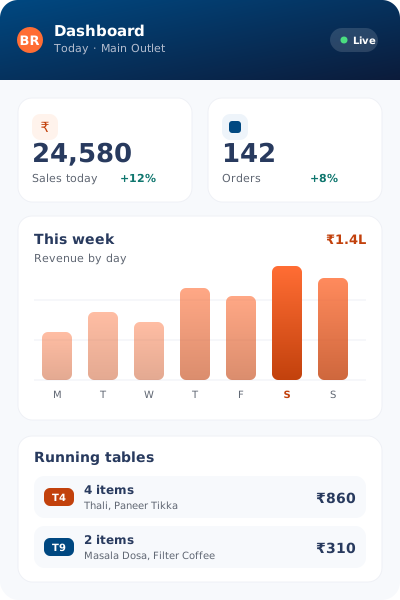
Six things a POS has to get right
Billing, GST, kitchen tickets, stock, outlets and reports. Every one of them reads the same order.
Counter Billing
Find an item in two taps. Take cash, card or UPI on the same screen.
GST Billing
CGST, SGST and IGST are worked out for you. The invoice prints ready to hand over.
Digital KOT
The order reaches the kitchen screen the moment you save it. Nobody writes it out again.
Stock & Recipes
Bill a dish and its ingredients come off stock. An alert reaches you before anything runs dry.
Multi-Outlet Control
Menus, prices, staff and stock for every outlet, handled from one place.
Daily Reports
Check the day’s takings, your best sellers, and a GST summary you can export.
What owners notice in the first week
Made for Indian tax rules, Indian payment habits and Indian kitchens
GST is built in, so CGST, SGST and IGST need no extra work
Runs on an Android tablet, an iPad or a desktop browser you already own
Cloud-based, so you can open the reports from home
Zomato and Swiggy orders arrive on their own, with nothing re-typed
Separate logins for owners, managers, cashiers and kitchen staff
14 days free to try, with no card and no setup fee
Fits the way your place serves
A fine-dine floor and a tiffin counter bill very differently. Both work here.
Dine-In Restaurants
Table layout, course-wise billing and a waiter app for full service.
QSR & Fast Food
Quick counter billing with KOT, plus a queue you can watch fill up.
Cafés & Bars
Drink stock, open tabs and fast repeat rounds for a busy counter.
Dhabas & Tiffin
Plain billing and a daily menu you can edit in seconds.
Questions owners ask before switching
Short answers. Ask us anything we have missed.
Which POS suits a restaurant in India?
Pick one that handles GST, KOT and your delivery apps without paid add-ons. Billing Rasoi covers all three, along with stock and multi-outlet reports, on one plan.
Does it print GST invoices?
Yes. It works out CGST, SGST and IGST from the tax slabs you set, prints a proper invoice, and totals the month up for filing.
Can I see all my outlets in one place?
You can. Each outlet keeps its own menu, prices, staff and stock, and the dashboard still gives you the combined view.
Do I need to buy special hardware?
No. It runs on Android tablets, iPads and desktop browsers, and the screens are built for touch.
Is there a free trial?
Yes, 14 days with full access and no card. After that, choose a plan or stay on the free tier.
See it run on your own menu
Quicker billing at the counter, GST handled for you, and one dashboard for every outlet.