Zomato and Swiggy Commission: What Restaurants Actually Pay in 2026
Commission, gateway fees, GST and ad spend. What a ₹400 delivery order really leaves you, and how to price for it.
Read MoreBilling Rasoi runs your billing, GST invoices, KOT, stock and reports. One login covers every outlet you own.
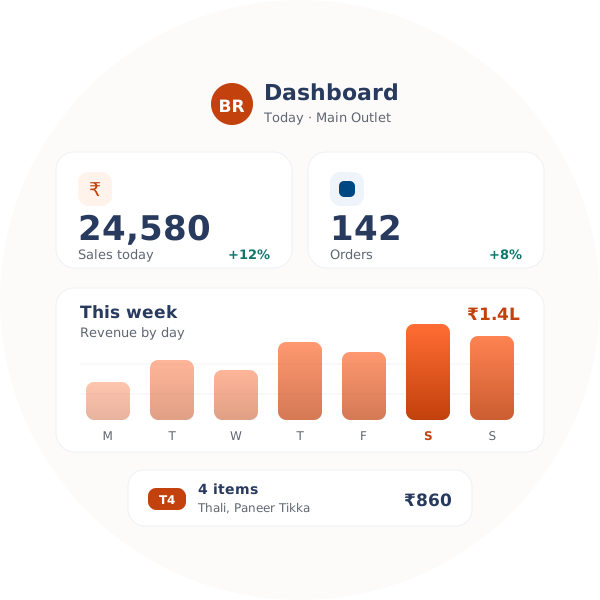
Most owners lose the same few hours every week to the same few gaps.
During a busy dinner service, a slow billing screen holds up the whole floor. Guests wait and tempers go short.
One person takes the order. Someone else writes it out again for the kitchen. Each re-entry is a fresh chance to get it wrong.
You know what you bought this week. What you actually used is a guess, and the gap only shows up at month end.
Zomato on one tablet, Swiggy on another, your billing screen on the counter. Somebody has to copy orders across all three.
Bills pile up in a drawer until your CA asks for them. Then a whole evening goes into sorting paper.
Each place counts stock and sales its own way. Put the two reports side by side and nothing matches.
POS billing, kitchen tickets, stock and GST reports. Same place, same login, same data.
Bill dine-in, takeaway, delivery and app orders from one screen.
See live stock, get an alert before an item runs out, and move stock between outlets.
Send the order to the kitchen. Watch prep status change, station by station.
Run every outlet, menu and price list from one dashboard.
Check what sold, what it cost you, and how much GST you collected.
App orders drop into the same queue as your counter orders.
Decide who can give a discount, void a bill or open a report.
See which tables are free, which are running, and who has booked ahead.
CGST, SGST and IGST work themselves out on every bill.
Nothing to bolt on later. The counter, the kitchen and the stock room all read from the same data.
Billing that keeps up during a rush. One screen covers dine-in, takeaway, delivery and app orders. The layout is plain enough that new staff pick it up in a shift or two.
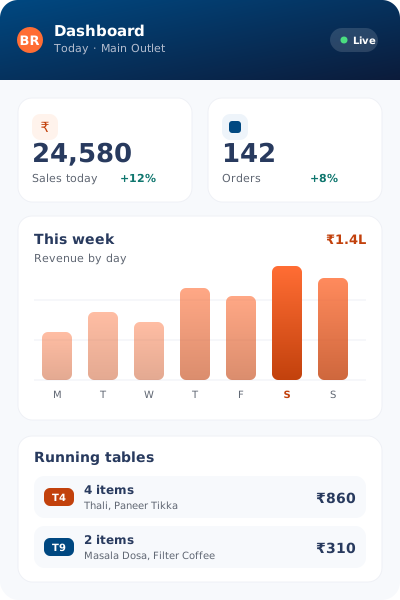
Fewer mixed-up orders, quicker tickets. Orders go from the POS to the kitchen screen on their own, so nothing is lost on a paper slip and the kitchen knows what to cook first.
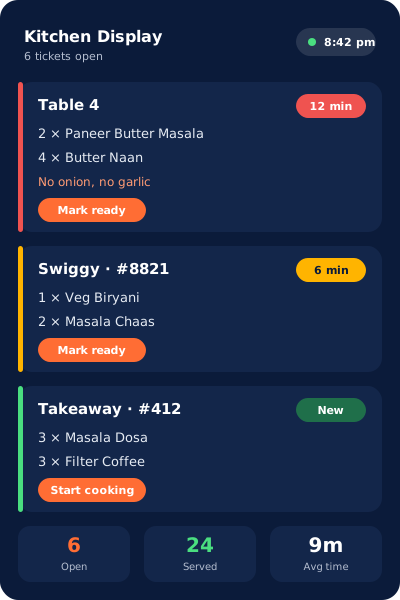
Build the menu once, use it everywhere. Set up categories, add-ons and prices once, then use the same menu for dine-in, takeaway and QR ordering.
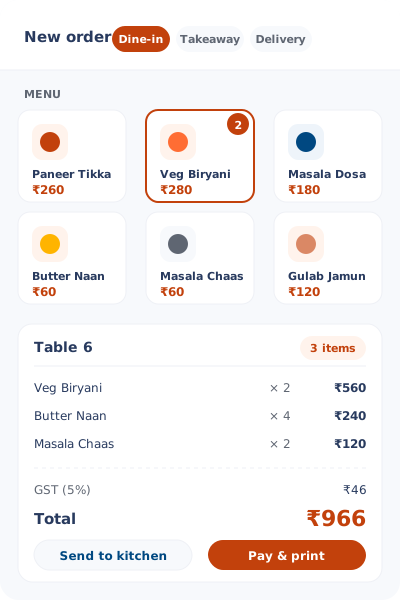
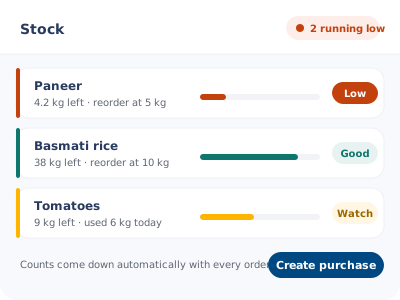
Know what is in stock before you run out. Ingredients and finished items move as orders come in, so the alert reaches you before a dish has to leave the menu mid-service.
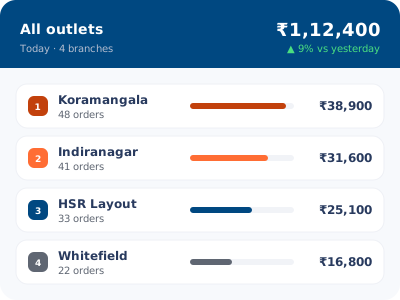
Run every outlet from one login. Push a menu or a price change once and it lands everywhere, while sales and stock reports roll up into one view for the chain.
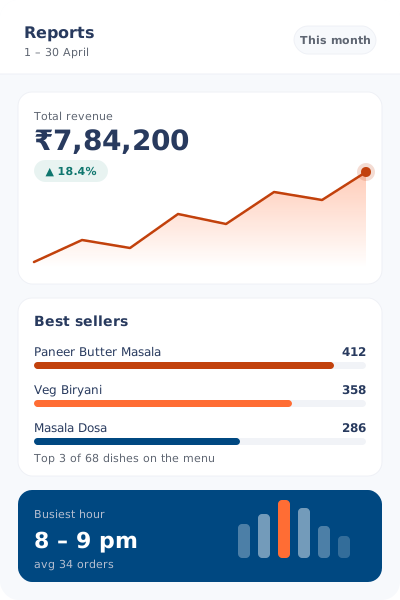
See what is actually selling. Sales, tax and stock sit in one place, so you can spot slow items and your busiest hours without adding numbers up by hand.
A dining room and a delivery kitchen need very different things. Each one gets its own setup here.
Most owners finish setup the same day they sign up. You will not need a technician.
Talk to us about setupAdd your outlet, load your menu and invite the team who will use it.
Put in prices, tax rates, recipes and ingredients. Connect Zomato and Swiggy if you sell there.
Open the POS and bill a table. Stock starts moving on its own from that point.
The small things that decide whether a system survives a Saturday night.
Add outlets, menus, tax rules and staff access on your own. No IT person required.
The platform is cloud-hosted with failover, so a connection drop does not stop a bill. Backups run in the background.
Call, WhatsApp or email us. You will talk to a person who understands restaurant work, not a script.
No hidden charges and no surprise add-ons. The plan grows only when your business does.
Everything is encrypted on the way through and backed up on a schedule.
Begin with what you need this month. Add outlets, staff and integrations later.
Not covered here? Send us a message and we will answer it.
Yes. Stock, menus and reports sync across your outlets. You can still set prices, staff and tax rules separately for each one.
It does. CGST, SGST and IGST are worked out on every bill, and you can export the reports at filing time.
Yes. The KOT shows up as soon as the order is saved. You can set up several stations and route items to the right one.
They do. Both land in your POS queue, so nobody re-types them. Stock drops at the same time.
We set up your account with you and walk your team through the screens. After that, reach us on phone, WhatsApp or email.
Yes, 14 days, and no card is needed. Pick a plan when it ends, or stay on the free tier if its limits suit you.
Practical guides on GST billing, food cost, menu pricing and keeping delivery commissions in check.
Read all guidesCommission, gateway fees, GST and ad spend. What a ₹400 delivery order really leaves you, and how to price for it.
Read MoreFSSAI, GST, trade licence, fire NOC and the rest. Every permit an Indian restaurant needs, in the order worth doing them.
Read MoreWhat to actually test in a demo, the pricing traps to check, and the five questions that expose a weak system.
Read MoreStart the 14-day trial, or book a demo and we will walk you through it.